Welcome to the New Big Ass Beats
By Marcus Bell · Published · 4 min read

Big Ass Beats is back with a clearer purpose: helping musicians and producers build a home studio that actually works. No gear mystique, no spec-sheet worship — just the practical stuff that decides whether you finish tracks or spend the evening troubleshooting.
Expect plain-spoken guides on DAWs, audio interfaces, monitoring, room setup and the small web tools that save time when you would rather be writing. We test the boring details — buffer sizes, driver quirks, cable runs, gain staging — because those are what separate a smooth session from a frustrating one.
What Big Ass Beats covers
The core of the site is the signal chain from instrument to monitor. That means audio interfaces and their drivers, preamps and gain staging, monitoring and headphones, and the DAW settings that keep everything running smoothly. We write for the producer working in a spare room with a laptop, a two-input interface and a pair of nearfields, not for a commercial facility with a patchbay and a tape machine.
We also cover the software side: choosing a DAW, routing, plugin management, and the web-based utilities that make studio admin less painful — file naming, sample-rate conversion checks, reference-track level matching and simple calculators for headroom and monitoring levels. If a tool saves ten minutes before a session, it belongs here.
- DAWs and session setup
- Audio interfaces and drivers
- Preamps, gain staging and monitoring
- Home studio acoustics and ergonomics
- Web tools for everyday studio tasks
Start with the interface, not the plugins
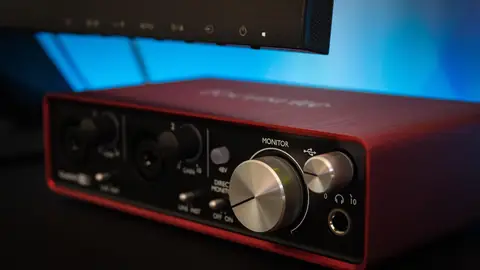
The interface is the piece of gear you touch every session, and its driver quality matters more than its converter marketing. A stable ASIO or Core Audio driver at a 128-sample buffer gives you roughly 5–8 ms of round-trip latency at 44.1 kHz on a typical modern computer — playable for most guitar and keyboard work. The same interface with a sloppy driver can force you to 512 samples and make recording feel like playing through a delay pedal.
If you are buying your first box, work through a structured checklist rather than chasing input counts. Two combo inputs with clean preamps and phantom power cover a vocal mic and a guitar or synth; more inputs only help if you actually record drums or a full band. Our 7-point checklist for choosing your first audio interface walks through the decisions in order, and the comparison of budget interfaces under $200 shows what the money actually buys.
Latency is a settings problem first
Most latency complaints are not hardware failures. They come from a buffer set too high, a plugin chain on the monitor path, or a driver running in a compatibility mode. Before buying anything, it is worth checking the basics: buffer size, sample rate, whether you are monitoring through the interface or through the DAW, and whether any plugin adds look-ahead delay.
Our explainer on ASIO, Core Audio and WDM covers what each driver model does and where it falls short, while the step-by-step latency checklist gives you an order of operations to work through. In practice, dropping from 512 to 128 samples and disabling one look-ahead limiter fixes more sessions than a new interface ever will.
How many preamps do you actually need?
A project studio rarely needs more than four preamps, and many need two. Vocals, acoustic guitar and DI bass are almost always tracked one source at a time. The exceptions are drum kits, small ensembles and anyone who records a band live — and even then, four to eight channels covers most small-room sessions, especially when you combine close mics with a simple stereo pair.
Buying preamps you do not use is the most common way to waste a studio budget. Put the money into the two channels you use daily, then into monitoring and room treatment, which change what you hear far more than a slightly different preamp character. Our guide to how many preamps a project studio needs breaks down the scenarios by source count.
Budget the whole room, not just the box
A realistic home studio budget is not just an interface and a DAW. It includes a microphone and stand, cables, headphones, monitor speakers or at least decent headphones, acoustic treatment for the first reflection points, and a desk or stand that puts the monitors at ear height. Skipping treatment is the classic mistake: a $300 interface in an untreated room will sound worse than a $150 interface in a treated one.
We publish real-world ranges rather than fantasy builds. A functional starter setup — interface, one mic, headphones, cables and basic treatment — typically lands in the low hundreds to around a thousand dollars depending on what you already own, and a serious project room climbs from there. The 2025 breakdown of home studio setup costs shows where the money goes and which corners are safe to cut.
- Interface and cables first
- One good mic before three average ones
- Treatment before monitor upgrades
- Leave 10–15% of the budget for the unexpected
| Buffer size (samples) | Approx. round-trip latency | Best for | Typical CPU load |
|---|---|---|---|
| 64 | 3–5 ms | Tracking vocals and guitar | High |
| 128 | 5–8 ms | Most recording sessions | Moderate–high |
| 256 | 10–15 ms | Mixing with light plugin chains | Moderate |
| 512 | 20–30 ms | Heavy mix sessions | Low |
| 1024 | 40–60 ms | Mastering and offline processing | Very low |
Tools that respect your session time
The web tools we build are deliberately small: a headroom calculator, a delay-time and tempo converter, a sample-rate and bit-depth reference, and a session-file naming helper. Each one solves a two-minute problem that otherwise interrupts a session. They run in the browser, need no account and do not upload your audio anywhere.
We will keep adding tools based on what readers ask for. If something in your workflow takes repeated mental arithmetic or a trip to a settings menu, that is a candidate. The goal is not to replace your DAW but to remove the friction around it, so the time between an idea and a recorded take stays short.
- Big Ass Beats focuses on the practical path from instrument to finished track: interfaces, drivers, DAWs, monitoring and room setup.
- Driver stability and buffer settings solve most latency problems before new gear does.
- Two to four good preamps cover the vast majority of project-studio recording.
- Budget for the whole room — treatment and monitoring matter as much as the interface.
Marcus has spent years writing about home studio gear, DAWs and the practical side of recording on a budget. He focuses on clear comparisons and checklists that help beginners avoid expensive mistakes. He also covers the web tools and sites that support independent musicians.