USB vs Thunderbolt Audio Interfaces: Is the Speed Worth It?
By Marcus Bell · Published · 4 min read
When shopping for an audio interface, you'll often see two main connection types: USB and Thunderbolt. Both can handle multi-channel recording, but they differ in bandwidth, latency, and cost. The choice isn't always about raw speed—it's about what your studio actually needs.
In this article, we break down the practical differences between USB and Thunderbolt audio interfaces. We'll look at real-world data transfer rates, how they affect recording performance, and when spending extra on Thunderbolt makes sense. By the end, you'll know which connection suits your workflow and budget.
Understanding USB and Thunderbolt Connections
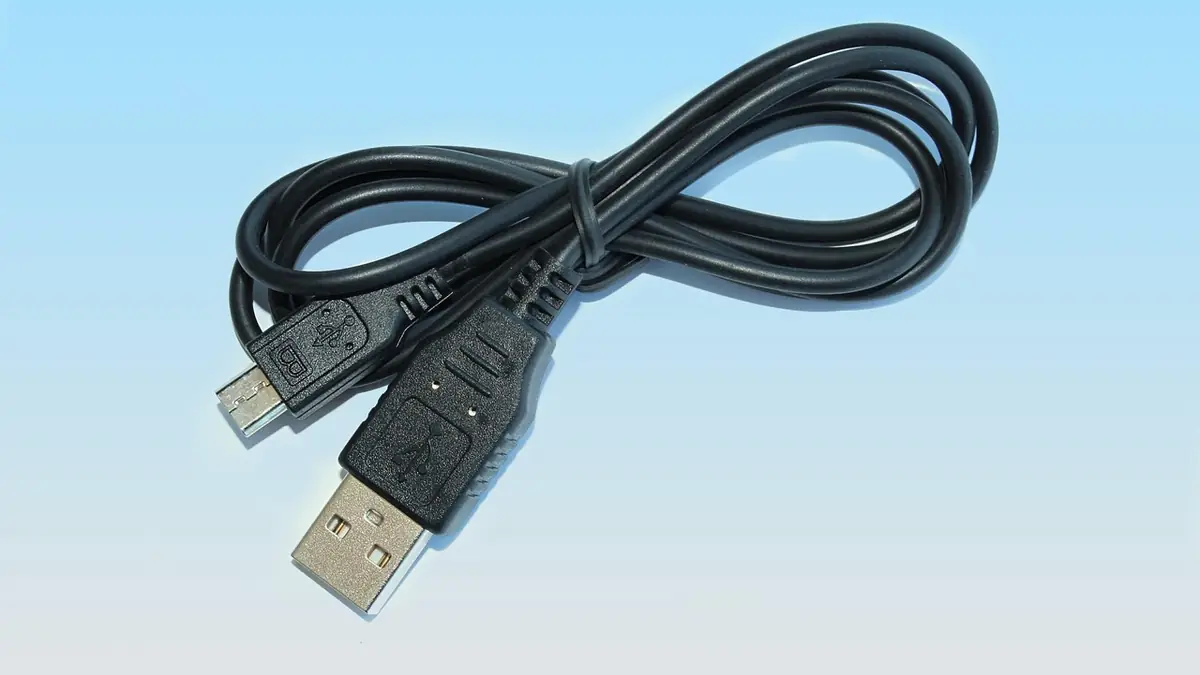
USB (Universal Serial Bus) is the most common interface connection. Modern USB 3.0 (now USB 3.2 Gen 1) offers 5 Gbps bandwidth, while USB 2.0 provides 480 Mbps. Most bus-powered audio interfaces use USB 2.0 or 3.0, and even USB 2.0 is sufficient for many project studios. USB connections are ubiquitous, backward-compatible, and generally cheaper to implement.
Thunderbolt, developed by Intel, offers significantly higher bandwidth: Thunderbolt 3 and 4 provide 40 Gbps, while Thunderbolt 1 and 2 offer 10 and 20 Gbps respectively. Thunderbolt also supports daisy-chaining multiple devices and delivers more power over the bus. However, Thunderbolt interfaces tend to be more expensive and require specific ports (often USB-C shaped but not always compatible with USB devices).
For audio, the key difference isn't just bandwidth but also latency and stability. Thunderbolt's direct PCIe connection can offer lower latency and more consistent performance under heavy loads, but modern USB drivers have closed the gap significantly.
- USB 2.0: 480 Mbps (enough for ~24 channels at 24-bit/96kHz)
- USB 3.0: 5 Gbps (plenty for most project studios)
- Thunderbolt 1: 10 Gbps, Thunderbolt 3/4: 40 Gbps
- Thunderbolt allows daisy-chaining and higher bus power
Real-World Bandwidth Needs for Audio Recording
Audio data rates are modest compared to video or storage. A single channel of 24-bit/96kHz audio requires about 2.3 Mbps. For a 16-channel interface at 24-bit/96kHz, that's roughly 37 Mbps. Even USB 2.0's 480 Mbps can handle dozens of channels. At 192kHz, a 16-channel interface needs about 74 Mbps, still well within USB 2.0's capacity.
The bandwidth bottleneck isn't the audio data itself but the overhead of driver communication and other USB traffic. Sharing a USB bus with hard drives, webcams, or other peripherals can cause dropouts. Thunderbolt's higher bandwidth and dedicated lane avoid this contention, making it more reliable in complex setups.
If you're recording a full band with 16+ channels at high sample rates while also running virtual instruments and plugins, Thunderbolt provides headroom. But for most home studios recording 1-8 channels, USB is more than adequate.
Latency: Does Thunderbolt Really Win?
Latency is the delay between input and output. Lower latency lets you monitor through software effects without noticeable delay. Thunderbolt interfaces often achieve round-trip latency below 2ms, while USB interfaces typically range from 3-8ms depending on the driver and buffer settings. However, the difference is not solely due to the connection; driver quality and interface design play major roles.
In practice, many modern USB interfaces offer latency low enough for comfortable monitoring (under 5ms). For example, a well-designed USB interface at 64-sample buffer and 48kHz can achieve round-trip latency around 4ms. Thunderbolt might shave 1-2ms off that, but the audible difference is minimal for most musicians.
Where Thunderbolt shines is in stability at very low buffer sizes. If you need to run heavy plugin chains while tracking, Thunderbolt's consistent performance reduces the risk of crackles and dropouts. But if you're just recording vocals or guitars, USB is likely fine.
- Typical USB round-trip latency: 3-8ms
- Typical Thunderbolt round-trip latency: 1-4ms
- Driver quality often matters more than connection type
- Low buffer sizes (32-64 samples) are more stable on Thunderbolt
| Feature | USB 2.0 | USB 3.0 | Thunderbolt 3/4 |
|---|---|---|---|
| Max bandwidth | 480 Mbps | 5 Gbps | 40 Gbps |
| Typical round-trip latency | 3-8 ms | 3-6 ms | 1-4 ms |
| Max channels at 24-bit/96kHz | ~24 | ~200 | ~1600 |
| Bus power | Up to 2.5W | Up to 4.5W | Up to 15W |
| Daisy-chaining | No (via hub) | No (via hub) | Yes (up to 6 devices) |
| Typical interface cost | Low | Low-Mid | Mid-High |
| Compatibility | Universal | Universal | Mac & some PCs |
Cost and Compatibility Considerations
Thunderbolt interfaces are generally more expensive than comparable USB models. You'll also need a computer with Thunderbolt ports, which are common on Macs but less so on Windows PCs (though many modern motherboards include Thunderbolt via USB-C). Adapters can add cost and complexity.
USB interfaces are universally compatible with any computer built in the last two decades. They're plug-and-play on both Windows and macOS, and you can find high-quality models at every price point. If you're building a budget studio, USB is the practical choice.
For those investing in a high-end setup with multiple devices, Thunderbolt's daisy-chaining can simplify cabling and reduce clutter. But for most project studios, the cost premium of Thunderbolt doesn't translate to a proportional improvement in recording quality.
When Thunderbolt Makes Sense
Thunderbolt is worth considering if you regularly record many channels simultaneously at high sample rates, use a lot of virtual instruments and effects while tracking, or need the lowest possible latency for performance. It's also beneficial if you work with high-channel-count interfaces (e.g., 32+ channels) or need to connect multiple high-bandwidth devices (like external SSDs) without slowing down your audio interface.
Another scenario: if you're on a Mac and plan to use an external monitor, Thunderbolt can carry video and audio data on the same cable, freeing up ports. But for the average home studio recording a few mics at a time, USB is perfectly capable.
Ultimately, the interface's preamps, converters, and drivers matter more than the connection type. A well-designed USB interface will outperform a poorly designed Thunderbolt one.
- Recording 16+ channels at 96kHz or higher
- Heavy plugin usage while tracking
- Need for daisy-chaining multiple devices
- Mac-based setups with limited ports
Making the Decision: USB or Thunderbolt?
Start by assessing your current and future needs. If you're recording solo or a small ensemble, USB is sufficient. Consider the number of inputs you need, your computer's ports, and your budget. Remember that your interface's analog components (preamps, converters) have a far greater impact on sound quality than the connection type.
If you're unsure, USB is the safer bet. It's widely supported, affordable, and capable of professional results. You can always upgrade to Thunderbolt later if your needs grow. For most musicians, the difference in speed won't be noticeable.
Before buying, check your computer's ports and consider future expansion. Also, think about your software setup—some DAWs and plugins benefit more from low latency than others. For a deeper dive into latency, see our step-by-step checklist to reduce DAW latency.
- USB 2.0 offers enough bandwidth for most project studios recording up to 24 channels at 96kHz.
- Thunderbolt provides lower latency and more stable performance at low buffer sizes, but the difference is often marginal for typical recording.
- Choose Thunderbolt if you record many channels at high sample rates, use heavy plugin chains while tracking, or need daisy-chaining.
- For most home studios, a quality USB interface with good preamps and drivers is the more cost-effective choice.
Marcus has spent years writing about home studio gear, DAWs and the practical side of recording on a budget. He focuses on clear comparisons and checklists that help beginners avoid expensive mistakes. He also covers the web tools and sites that support independent musicians.