Ableton Live vs Logic Pro vs FL Studio: Which DAW Fits You
By Marcus Bell · Published · 4 min read
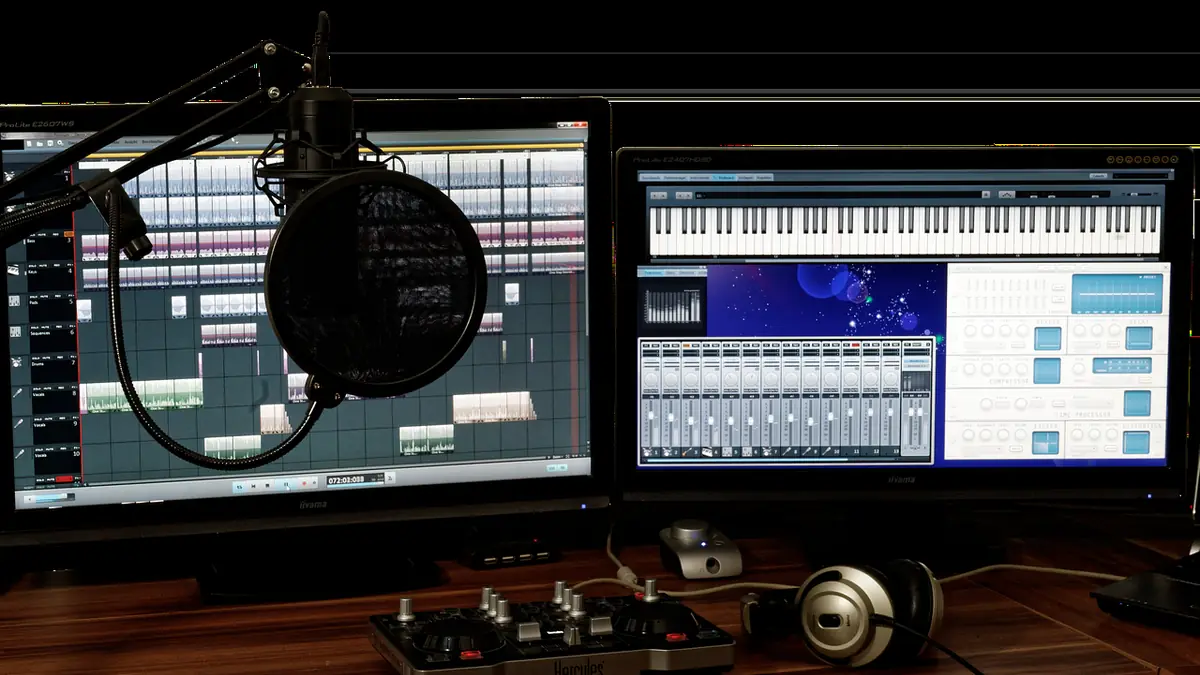
Every DAW can record audio, host plugins and export a finished track, so the choice comes down to how each one wants you to work. Ableton Live is built around the clip grid and session view, Logic Pro leans on a traditional arrange timeline with a very deep stock library, and FL Studio is a pattern-based sequencer that grew up around beatmaking.
This comparison looks at workflow, bundled instruments and effects, price and upgrade policy, platform support, and how each handles busy projects on a mid-range machine. Numbers below are current list prices at the time of writing; sales and regional pricing vary, so treat them as ranges rather than fixed facts.
Workflow: Session Grid, Timeline or Patterns
Ableton Live splits a project into Session view (a grid of clips you launch freely) and Arrangement view (the linear timeline). That duality is why Live is popular for sketching loops and then committing them to an arrangement. Logic Pro works almost entirely on a linear timeline with regions, and its Live Loops grid is an optional extra rather than the centre of the app. FL Studio channels everything through the Channel Rack and Playlist, where patterns are painted onto a grid.
The practical difference shows up in the first hour. In Live, you can drop a drum loop, launch it, jam over it, and record the result without deciding on a structure. In Logic, you record or draw regions and build an arrangement as you go. FL Studio suits people who think in 4- or 8-bar patterns and repeat them; the playlist is a canvas of patterns rather than one long take. None is better, but mismatching your habits to the model costs weeks of friction.
- Live: clip launching first, arrangement second
- Logic: linear timeline with optional Live Loops
- FL Studio: pattern-based Channel Rack and Playlist
Stock Instruments and Effects
Logic Pro has the deepest bundle of the three by a wide margin: a full sampler, Alchemy (a large hybrid synth), Drum Machine Designer, Vintage EQ and compressor models, a decent amp sim, and a broad loop library. That bundle is a real reason to pick Logic if you want to make music without buying a single plugin. Ableton Live's Suite version adds Operator, Wavetable, Sampler and a strong effects set, but the cheaper Intro and Standard tiers are noticeably lighter.
FL Studio's Producer Edition includes a solid drum sampler, Sytrus and 3x Osc, plus Edison for audio editing. Its weaker point has historically been audio recording and comping, which is usable but less refined than Logic's take folders or Live's comping. If your work is mostly vocal tracking and editing, Logic is the least painful starting point; if it is beat construction and sound design, all three are workable, with Logic and Live Suite giving more synthesis depth out of the box.
Pricing and Upgrade Policy
Ableton Live comes in Intro (around $99), Standard (around $449) and Suite (around $749). Logic Pro is a one-off purchase at roughly $199 through the Mac App Store, with free updates within a major version and no subscription. FL Studio is sold in tiers: Fruity Edition around $99, Producer Edition around $199, Signature around $299 and All Plugins around $499, and the licence includes lifetime free updates to new major versions.
The lifetime-update promise on FL Studio is unusually generous and worth weighing against the others. Logic looks cheap until you price the Mac it requires. Ableton's tier structure means you may eventually want Suite for its instruments, so budget for that upgrade path. For a fuller picture of what the surrounding gear costs, see how much a home studio setup costs in 2025 before you commit to a platform.
Platform Support and Hardware
Logic Pro is macOS only, full stop, and it is tuned for Apple silicon, where it runs efficiently on modest Macs. Ableton Live runs on Windows and macOS, and its Push controller integration is the tightest of any DAW-controller pairing. FL Studio runs on Windows and macOS, with a long history on Windows and a solid Apple silicon build now, plus a mobile app that many people use for sketching ideas on the move.
If you already own a Windows desktop, Logic is off the table unless you switch machines, which changes the true cost dramatically. Live and FL Studio both let you start on the computer you have. Check driver support for your interface too; a stable ASIO driver on Windows matters more than the DAW choice for low-latency tracking, as covered in this latency checklist.
CPU Use and Big Projects
All three handle large projects, but their habits differ. Live's clip grid and warping are efficient, though heavy use of warped audio and complex racks can raise CPU. Logic is generally frugal on Apple silicon thanks to tight OS integration and its freeze and low-latency modes. FL Studio's pattern system keeps the playlist light, but plugins on many mixer channels still add up. On a mid-range laptop, expect a few dozen tracks with plugins to run comfortably; hundreds of simultaneous reverbs will strain any of them.
Practical habits matter more than the logo. Freeze or bounce heavy synth and reverb tracks, raise the buffer to 256-512 samples while mixing, and keep the project on an SSD. Sample rate choice also affects load: a 96 kHz project roughly doubles CPU and disk demand versus 48 kHz for little audible gain in most pop and electronic work, as the sample rate explainer sets out.
| Feature | Ableton Live | Logic Pro | FL Studio |
|---|---|---|---|
| Platform | Windows, macOS | macOS only | Windows, macOS, mobile app |
| Entry price (approx.) | $99 Intro | $199 one-off | $99 Fruity |
| Full-feature price (approx.) | $749 Suite | $199 | $199-$499 by tier |
| Upgrade policy | Paid major upgrades | Free within major version | Lifetime free updates |
| Signature workflow | Session clip grid | Linear timeline | Pattern-based sequencer |
| Stock content depth | Deep in Suite only | Deepest overall | Good in Producer and up |
| Controller integration | Push, very tight | Solid, Apple-centric | Good, broad MIDI support |
Which One Should a Beginner Pick?
Pick by genre habit and machine first. If you make electronic music and like jamming with loops, Live is the natural fit. If you record vocals and instruments and own a Mac, Logic gives you the most for the money. If you produce beats on Windows and think in patterns, FL Studio is fast and the lifetime updates are hard to argue with. The free trials are generous enough to spend a fortnight in each before paying.
Whichever you choose, budget for an interface and headphones before upgrading tiers. A $150 interface with a clean preamp will improve your recordings more than a $200 DAW upgrade, and this comparison of interfaces under $200 is a sensible starting point. Learn one DAW deeply; switching later is easier than most people fear, because the underlying skills transfer.
- Match the DAW to how you already think: clips, timeline or patterns.
- Logic offers the most stock content per dollar but requires a Mac.
- FL Studio's lifetime free updates are a genuine long-term saving.
- Upgrade your interface and monitoring before paying for a higher DAW tier.
Marcus has spent years writing about home studio gear, DAWs and the practical side of recording on a budget. He focuses on clear comparisons and checklists that help beginners avoid expensive mistakes. He also covers the web tools and sites that support independent musicians.