How Much Does a Home Studio Setup Cost? Real Budgets
By Marcus Bell · Published · Updated · 4 min read
Most people who ask what a home studio costs get one of two answers: a fantasy number built from flagship gear, or a suspiciously cheap figure that ignores the things you actually need. The honest answer is that you can build a working recording and production rig for anywhere from a few hundred to several thousand dollars, and the difference between those numbers has less to do with brand names than with how you allocate the money.
This breakdown walks through four realistic tiers, from a laptop-and-headphones starter rig to a treated room with proper monitors, an interface and a couple of microphones. Prices are typical street prices in US dollars for new gear; used equipment routinely cuts 30–50% off the hardware line items, which matters more than most buying guides admit.
What Actually Goes Into a Studio Budget
A home studio is a chain, and every link costs money: the computer, the audio interface, monitoring (headphones or speakers), a microphone or two, cables and stands, and acoustic treatment. Software is a separate question because so much capable recording software is free or bundled with an interface.
The mistake beginners make is spending almost everything on the interface or the microphone and leaving nothing for treatment, stands and decent cables. In a small untreated room, a $200 pair of monitors will sound worse than a $120 pair placed and treated sensibly, so budget in that order of priority.
Your computer is the one item you may already own. If it's a laptop from the last five or six years with 8 GB of RAM or more, it will handle most production work. If you need to buy one, expect $500–$1,200 for something comfortable, and treat that as the single biggest line item in the low tiers.
- Computer: $0 if you already own a capable laptop, otherwise $500–$1,200
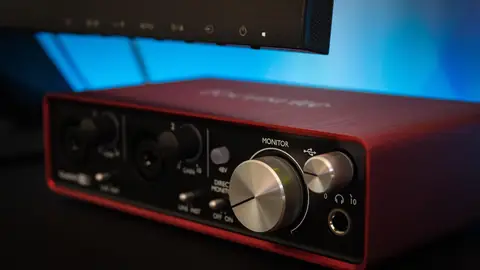
- Audio interface: $100–$500 depending on input count and preamp quality
- Monitoring: $100–$400 for headphones, $300–$1,000+ for a monitor pair
- Microphone: $80–$400 for a large-diaphragm condenser or a good dynamic
- Cables, stands, pop filter: $60–$150
- Acoustic treatment: $100–$600 depending on room size
Tier 1: The Laptop-Only Starter Rig ($150–$400)
This tier assumes you already own a usable computer and want to start writing and producing with virtual instruments. The essentials are a pair of closed-back headphones in the $80–$150 range, a small MIDI keyboard controller at $80–$150, and free or inexpensive recording software. That's genuinely enough to finish tracks.
If you plan to record a voice or an instrument, add a USB microphone at $80–$150. It won't match a dedicated interface and condenser, but it removes the need for a separate interface and XLR cable while you're learning. Many people stay at this tier for a year or more and make perfectly good music.
Skip monitors at this stage unless your room is at least somewhat controlled. Cheap speakers in an untreated bedroom mostly teach you the sound of your room, not the sound of your mix.
Tier 2: The Interface and Monitors Step ($600–$1,200)
This is the first real jump, and it's where most people should aim. A two-input interface with decent preamps runs $150–$300, and a pair of 5-inch nearfield monitors sits around $300–$500. Add stands or isolation pads ($40–$100), a couple of XLR cables and a TRS pair for the monitors ($40–$80), and you're at a working monitoring system.
The interface is where input count matters more than specs on paper. Two combo jacks cover a vocal mic and a guitar or synth; if you'll track drums or a band, budget for four or eight inputs now rather than upgrading twice. Our comparison of interfaces and mixers is worth reading before you commit, and cable types confuse a lot of first-time buyers, so keep the cable guide handy when ordering.
Don't overlook drivers. A cheap interface with stable, low-latency drivers beats a fancier one that crackles, which is the subject of our explainer on ASIO and Core Audio.
Tier 3: The Treated Room With Real Monitoring ($1,500–$3,000)
At this level you're buying accuracy rather than features. A pair of 7–8-inch monitors runs $600–$1,200, and acoustic treatment — bass traps in the corners, absorption panels at the first reflection points — costs $300–$800 for a typical bedroom-sized room. Treatment is the highest-value purchase in this tier by a wide margin.
Placement matters as much as the panels. Speaker position, listening distance and desk height interact with the room, and the rules are not intuitive in small spaces; our guide to monitor placement in a small room covers the practical geometry.
On the recording side, a large-diaphragm condenser at $200–$400 plus a dynamic mic at $100–$200 covers most vocals and instruments. A decent boom stand and a reflexion filter or improvised vocal booth add $100–$250. If you're choosing between USB and Thunderbolt connectivity at this budget, the latency difference is real but modest — see our USB vs Thunderbolt comparison before paying a premium.
Tier 4: The Semi-Professional Room ($3,000–$8,000+)
This tier is for people earning money or tracking other musicians. It means more inputs (eight is common), better preamps, a second monitor pair or a subwoofer, and more serious treatment including corner traps and possibly a cloud above the mix position. Microphone choices multiply, and so do the stands and cables.
Diminishing returns set in fast above roughly $5,000 in a domestic room. A $2,000 microphone in an untreated bedroom will not outperform a $400 microphone in a treated one. Spend on the room and the monitoring path first, then on microphones, then on converters and preamps.
Software is rarely the bottleneck. Most DAWs cost $60–$600 outright or run on subscriptions, and interfaces bundle usable versions. Put the money into the things that change what you hear.
Where to Save and Where Not To
Buying used is the single biggest lever on total cost. Interfaces, monitors and microphones hold up well secondhand, and 30–50% savings are normal. Buy microphones and headphones used with caution — try before paying if you can — and avoid used computers without a return window.
Never skimp on cables and stands to the point of unreliability, but don't overspend either; a $15 XLR cable is fine for most home use. Do skimp on decorative acoustic foam if it means you can afford proper panels instead — foam looks the part and does little below the midrange.
Finally, budget for the boring stuff: a surge protector, a second hard drive or cloud backup for projects, and a pop filter. These are small line items that prevent expensive accidents.
- Buy used interfaces, monitors and mics — 30–50% savings is typical
- Spend on treatment before upgrading monitors
- Two-input interfaces cover most solo work; buy more inputs only if you track drums
- Keep a backup drive; project loss costs more than any gear upgrade
| Tier | Computer | Interface | Monitoring | Mics & extras |
|---|---|---|---|---|
| Laptop-only starter | $0 (owned) | $0 | $80–$150 headphones | $80–$150 USB mic |
| Interface + monitors | $0–$500 | $150–$300 | $300–$500 monitors | $100–$250 mic + cables |
| Treated room | $500–$1,200 | $200–$400 | $600–$1,200 monitors | $300–$600 mics + treatment |
| Semi-pro room | $800–$1,500 | $400–$900 (8 in) | $1,000–$2,500 | $600–$1,500 mics + treatment |
- A usable starter rig costs $150–$400 if you already own a laptop; a real interface-and-monitors setup lands around $600–$1,200.
- Acoustic treatment is the highest-value purchase in any room and should come before monitor upgrades.
- Buying used interfaces, monitors and microphones typically saves 30–50% on the hardware budget.
- Above roughly $5,000 in a domestic room, returns diminish sharply unless the room itself is improved.
Marcus has spent years writing about home studio gear, DAWs and the practical side of recording on a budget. He focuses on clear comparisons and checklists that help beginners avoid expensive mistakes. He also covers the web tools and sites that support independent musicians.